For renters and homeowners setting up an outdoor wireless security camera without drilling, we recommend a purpose-built clamp mount on a sturdy railing or post. It grips an existing fixture without holes or adhesive. When that location gives you poor coverage, an outdoor-rated adhesive mount, gutter bracket, magnetic base, or siding clip offers another route.
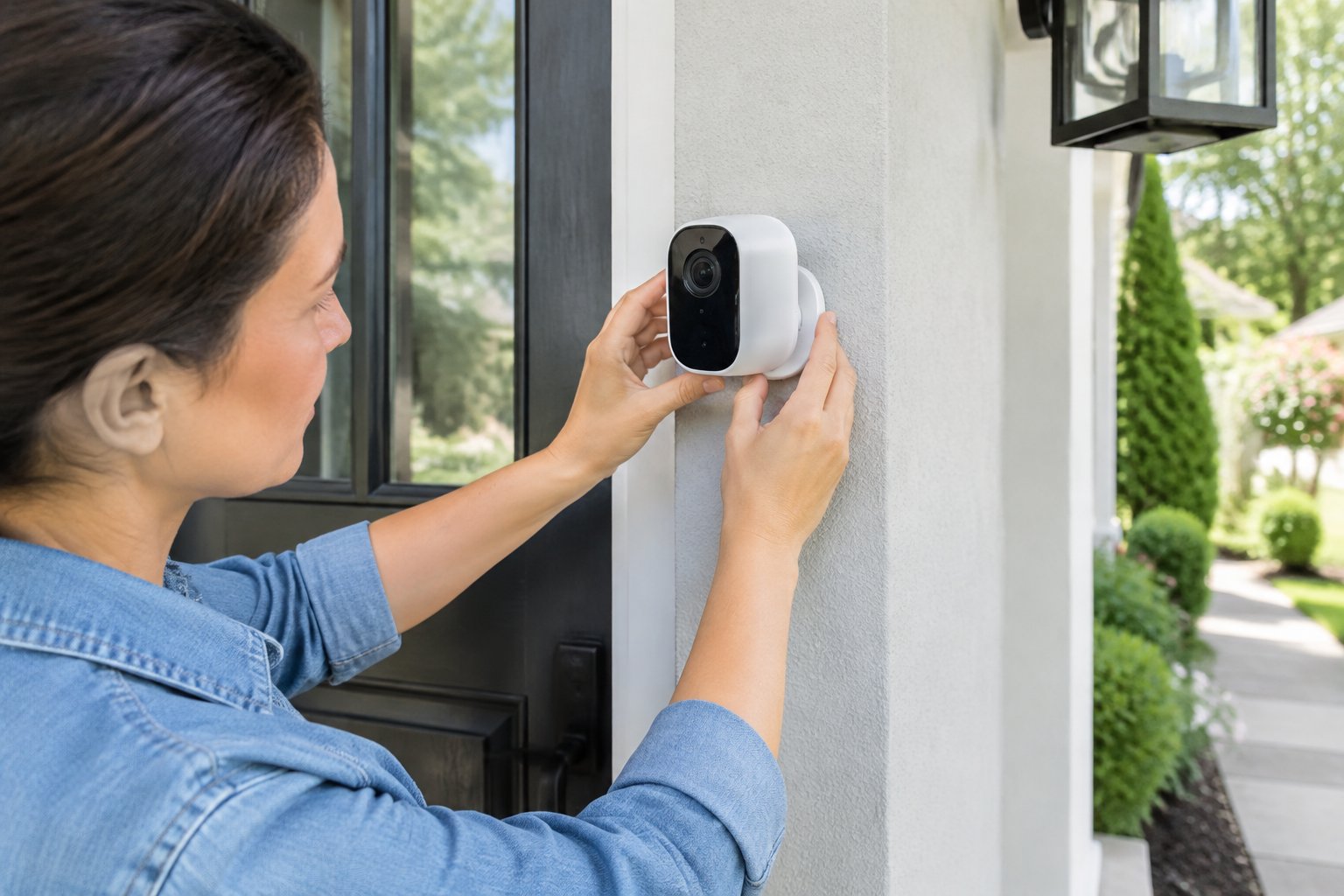
Our first caution is that “no-drill” does not guarantee damage-free removal. Adhesives sometimes lift paint, and overtightened clamps dent thin metal. Also, wireless security cameras use different power arrangements. Check whether your model needs batteries, a solar panel, or an outlet before buying a mount.
Step 1: Choose a No-Drill Mount That Fits Your Camera and Surface
We recommend matching the mount to both your camera’s attachment point and the exact surface supporting it. A “universal” label still requires a compatibility check.
Use these starting points:
- Adhesive mounts: Suitable for smooth, sound surfaces specifically approved by the mount maker.
- Clamp mounts: Fit rigid posts or poles within the clamp’s stated opening range.
- Railing mounts: Match the rail’s shape and thickness while keeping the handrail clear.
- Gutter mounts: Require a compatible gutter profile and a firm, undamaged attachment area.
Check the camera connection, permitted mounting direction, and outdoor temperature limits. Include the camera’s battery and every attached accessory when checking the mount’s load rating. A shared solar-panel bracket must support the complete assembly.
Our home security camera buying criteria also include charging access and storage requirements. Before ordering, confirm that the accessory leaves the battery door, charging port, and release latch accessible.
Step 2: Test Coverage, Wireless Signal, and Power at Your Chosen Spot
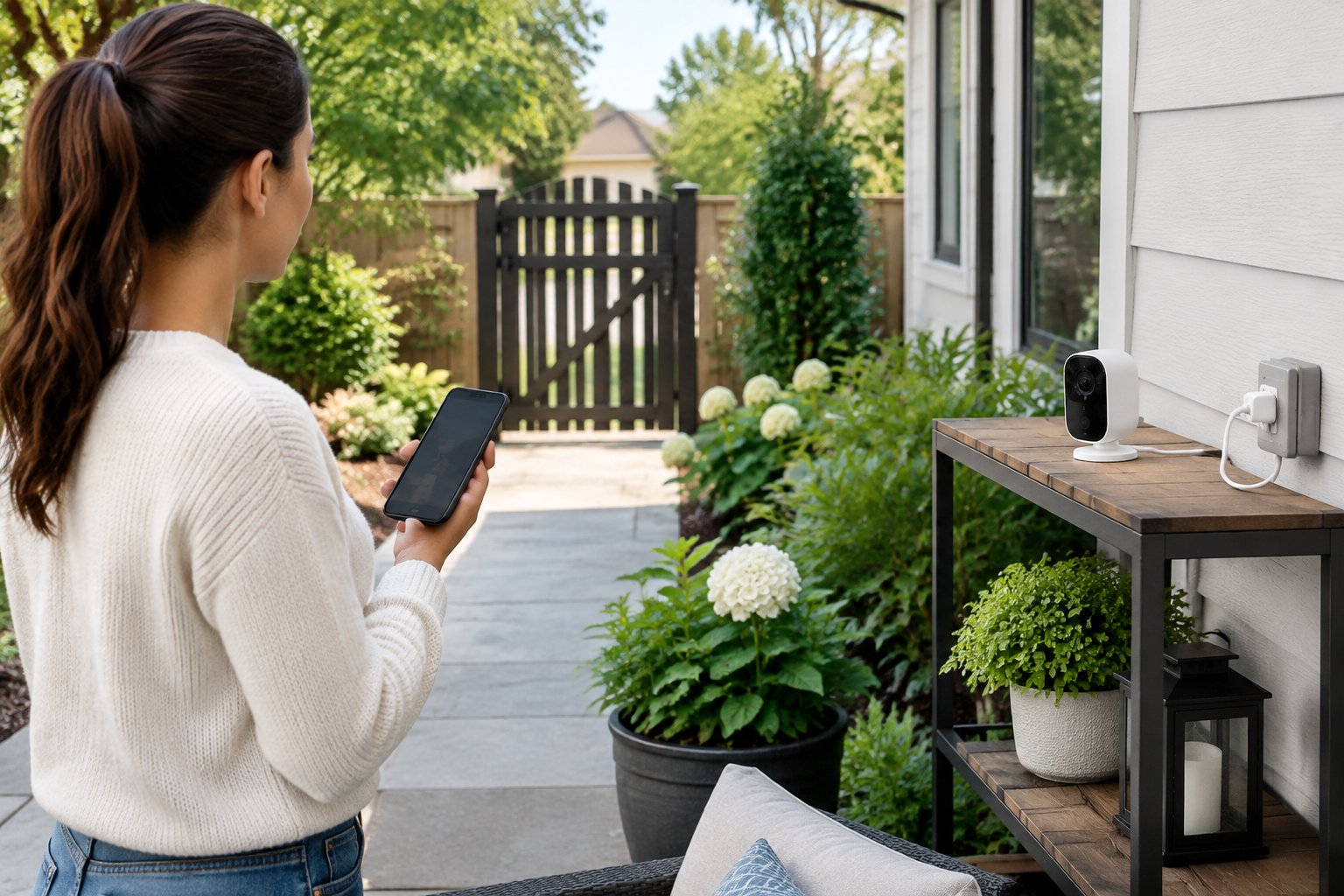
A temporary placement test should confirm a useful view and reliable connection before you attach anything. We recommend pairing the camera indoors, then holding it safely at the intended outdoor position.
Open live view with exterior doors closed. Check that the image loads, audio works if supported, and the connection stays stable while someone crosses the monitored area. A phone’s Wi-Fi bars provide only an initial clue because the camera uses its own radio and antenna.
When choosing a wireless router, check coverage where the camera will operate. Try moving the router or the camera’s hub before committing to a weak-signal location.
Confirm these placement details:
- The lens captures the entrance or path you need.
- Nearby trim and plants stay outside the important viewing area.
- The mounting height follows your camera’s instructions.
- Battery removal or charging is reachable safely.
For plug-in power, trace the entire cable route to a suitable outlet. For solar power, check the panel’s sunlight requirements separately from the camera’s viewing position.
Step 3: Check Property Rules and Prepare Your Mounting Surface
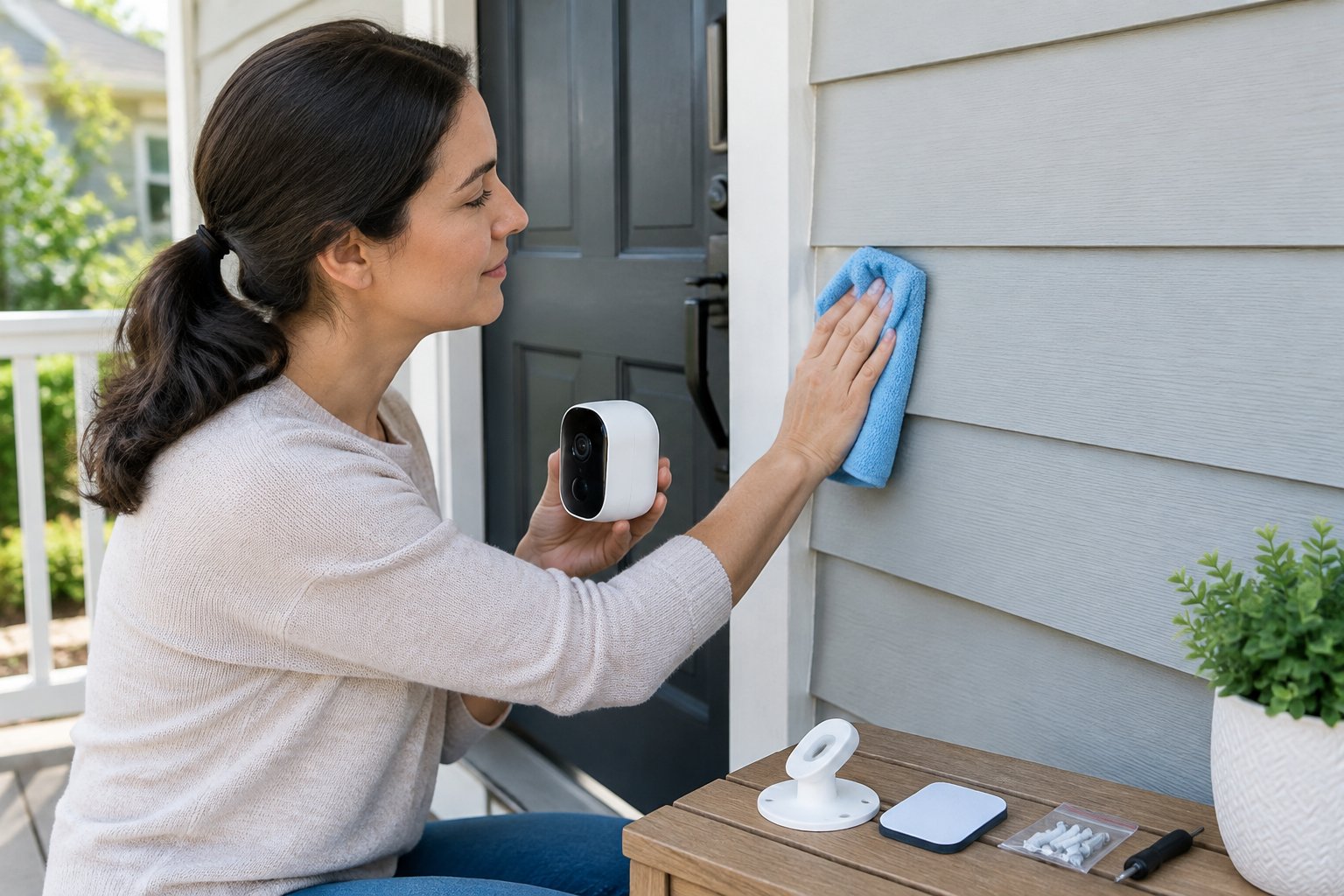
Property approval and a sound mounting surface should be settled before installation begins. We recommend written permission when your lease or HOA rules require approval for exterior equipment.
Check restrictions on shared walls and fixtures, even when the mount leaves no holes. Aim the camera toward your property and use privacy masks for neighboring windows where supported. Audio-recording rules vary by state, so check the rules that apply before enabling sound recording.
Next, inspect the attachment area. Flaking paint, loose siding, rust, and cracked gutter edges are reasons to choose another location.
Prepare the surface using the mount maker’s cleaning instructions:
- Remove loose dirt with a soft cloth.
- Wash away grime with a surface-safe cleaner.
- Use an alcohol wipe only if the finish and adhesive instructions permit it.
- Let the area dry fully.
Our preference is to check a hidden spot before applying any cleaner to a painted finish. For adhesive installations, confirm that both the air and surface temperatures fall within the product’s application range.
Step 4: Install an Outdoor-Rated Adhesive Mount on a Compatible Surface
Adhesive mounts need full surface contact and the manufacturer’s complete bonding time before carrying the camera. We recommend a camera-specific outdoor adhesive accessory with clear surface and load instructions.
Avoid putting generic tape on a hollow or ribbed camera base. The usable contact area must meet the adhesive system’s requirements. Rough brick or stucco needs explicit approval.
Follow this sequence:
- Dry-fit the empty base and check its orientation.
- Mark its position with removable painter’s tape if safe for the finish.
- Apply the supplied adhesive exactly as directed.
- Press evenly for the stated duration.
- Leave the base unloaded for the full specified bonding period.
- Inspect for lifted edges before attaching the camera.
Keep the installation sheltered from moisture during bonding if the instructions require it. A surface that feels dry to your hand still needs to meet the adhesive maker’s preparation requirements.
We advise choosing another method when the mount’s instructions do not cover your surface. Adding extra tape does not establish a safe outdoor load rating.
Step 5: Fit a Clamp, Railing, or Gutter Mount Without Damaging the Fixture
A mechanical mount should grip firmly without bending or crushing its supporting fixture. We favor padded clamp mounts and railing mounts designed for the support’s exact profile.
Position the jaws so their pads sit flat. Tighten with the specified tool or hand knob, then check for movement using gentle pressure while supporting the mount. Stop if the fixture flexes or the padding squeezes out of place.
For gutter mounts, check both gutter condition and bracket compatibility. Seat the bracket as instructed and keep the gutter’s drainage path clear. Gutter guards and thin edges require particular attention because they change how a bracket sits.
Keep these precautions in mind:
- Leave handrails usable along their full gripping area.
- Keep mounting hardware away from sharp cable bends.
- Avoid using fragile trim as a clamp support.
- Follow the stated tightening method and torque, if provided.
Our advice on safe ladder use applies whenever the mount sits above easy reach. Place the ladder on firm ground, avoid overreaching, and never rest it against a gutter.
Step 6: Use a Magnetic Base or Siding Clip Where Compatible
Magnetic bases require a suitable magnetic surface, while siding clips require a matching siding profile. We recommend checking the accessory’s approved mounting direction before relying on either method.
For a magnetic base, confirm that the support attracts a magnet. Aluminum and copper do not provide magnetic grip. Clean the contact area, seat the base flush, and check for sliding while supporting the camera.
A camera that attaches magnetically to its own bracket still needs that bracket secured to the building. Check how every part of the assembly attaches, including any supplied metal plate.
For siding clips:
- Identify the siding material and profile.
- Select a clip rated for the complete camera assembly.
- Insert it into the specified seam without forcing the panel.
- Attach the camera plate using the supplied hardware.
Stop if the siding cracks, bows, or pulls out of its joint. Our recommendation is to use the clip maker’s stated quantity and spacing; adding extra clips does not automatically increase the approved load.
Step 7: Secure the Camera, Adjust Its Angle, and Manage Power Cables
The camera should lock onto its mount with enough cable slack to prevent pulling on the connection. We recommend supporting its weight until you have confirmed that every latch or threaded joint is engaged.
Follow the camera’s attachment instructions and avoid forcing mismatched threads. Open live view, adjust the angle, and tighten the adjustment joint. Recheck the image afterward because tightening sometimes shifts the view.
Route any power cable with outdoor-rated clips that suit the surface. Keep it away from walking paths, moving doors, and sharp gutter edges. Leave a drip loop below an exposed cable entry where the manufacturer’s instructions permit one.
Use only power adapters and connections approved for their location. An outdoor-rated camera does not make an indoor adapter weatherproof. Outdoor outlets should have suitable GFCI protection and a cover appropriate for use while plugged in.
If the mount includes an approved safety tether, attach it to the specified support. We advise against treating the power cable as a tether or running it through a window that crushes the insulation.
Step 8: Configure Recording and Test Motion Detection and Night Vision
A completed setup must save usable footage and deliver the alerts you expect. We recommend testing recorded clips as well as live view before considering the installation finished.
Update the camera firmware and secure the account with a unique password. Enable multifactor authentication when offered. Then select local or cloud storage and confirm that your chosen recording features are active.
Some cameras provide separate controls for motion detection, night vision, and video quality. Set activity zones around the entrance or path, and exclude moving foliage where possible.
Run a practical test:
- Walk through the monitored area using normal entry routes.
- Check whether recording starts early enough to show the approach.
- Open the alert and play the saved clip.
- Repeat after dark with normal exterior lighting.
When configuring home security cameras, we recommend checking nighttime footage for glare from nearby walls and reflective trim. Adjust the angle if infrared light washes out the image.
Confirm that recordings remain accessible after closing and reopening the app. Battery-powered models also need recording settings suited to their supported operating mode.
Step 9: Inspect the Mount After Weather Changes and Remove It Carefully
Weather-related movement or lifted adhesive edges call for immediate attention. We recommend checking the attachment after strong wind, heavy rain, and major temperature changes, along with the maker’s maintenance schedule.
Inspect adhesive mounts for peeling edges and separation from the finish. Check clamp mounts for slipping pads or loose knobs. Examine gutter mounts for corrosion and changes in the gutter’s shape.
Compare the current camera view with your original framing. An unexplained tilt is a reason to inspect the hardware before adjusting the image.
For removal, support and detach the camera first. Release a clamp gradually while holding the bracket, and remove siding clips using their stated method.
Follow the adhesive maker’s removal instructions. Use heat, solvents, or cutting tools only when permitted for both the adhesive and the surface. We advise keeping tools away from weather seals and stopping if the finish begins to lift.
A Secure Setup Starts With the Right Mount and Careful Testing
We recommend choosing a rated mount, verifying the location before installation, and checking saved footage once the camera is secure. Those steps address both physical support and day-to-day recording performance.
Keep the mount instructions with your camera records. Recheck the attachment after severe weather, and remove the camera from service if its base slips or separates.
Frequently Asked Questions
Does a no-drill mount need any tools?
We recommend checking the accessory’s tool requirements before buying because some mounts use a screwdriver or small wrench. “No-drill” means the installation avoids drilled holes; clamp screws and camera attachment screws still need tightening.
Are suction cups suitable for a permanent outdoor installation?
We recommend suction cups outdoors only when the manufacturer expressly approves that use and provides inspection instructions. A smooth surface alone does not establish that the mount will hold through changing weather.
Are adhesive mounts reusable after removal?
We recommend treating adhesive pads as single-use unless their maker states otherwise. Reusable base hardware still needs a fresh, approved adhesive pad and complete surface preparation.
Will gutter mounts interfere with gutter cleaning?
We recommend locating gutter mounts where you can remove them safely before maintenance if needed. Keep brackets and cables clear of debris paths, and tell anyone cleaning the gutters where the equipment sits.
Is a video doorbell a useful alternative to an outdoor camera?
We recommend considering a video doorbell if your main goal is to monitor visitors at the front door. Check that its viewing angle covers the area you need and that an approved no-drill accessory fits your doorway.
Ashley Wells

Your trusted source for product reviews, decor inspiration, and expert tips. Ashley Wells helps you make informed choices and elevate your lifestyle. Discover the best products and decor solutions for your home. Follow Ashley Wells for the latest reviews and trends. Create your ultimate living spaces with her.